This guide is an add-on to the user guide ‘Using the Sleepover Disturbance mobile form‘. It details the specific features and workflows for users whose organizations utilize Easy Employer for payroll and award interpretation.
Please ensure you are familiar with the core functionalities described in the main user guide, as this document only covers the differences and additions relevant to the EasyEmployer integration.
Purpose for Easy Employer Users
For organizations using Easy Employer, the Sleepover Disturbance form plays a crucial role in accurately capturing periods of active work during sleepover shifts. This is because, in this context:
- Sleepover disturbances are often considered a type of payable work.
- The information recorded is used for accurate payroll and award calculations via the Easy Employer system.
Key Differences for Easy Employer Users
While the general process of adding, editing, and deleting disturbance records (as outlined in the main HCP & ACD guide) remains the same, there are a few key differences when using the EasyEmployer version of the form:
1. Role Field
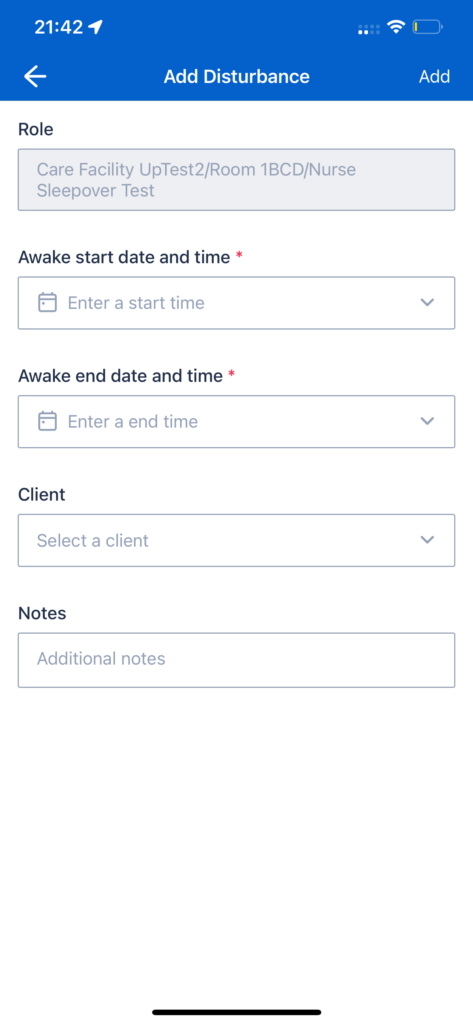
- When adding a new disturbance, resources will see a “Role” field on the form.
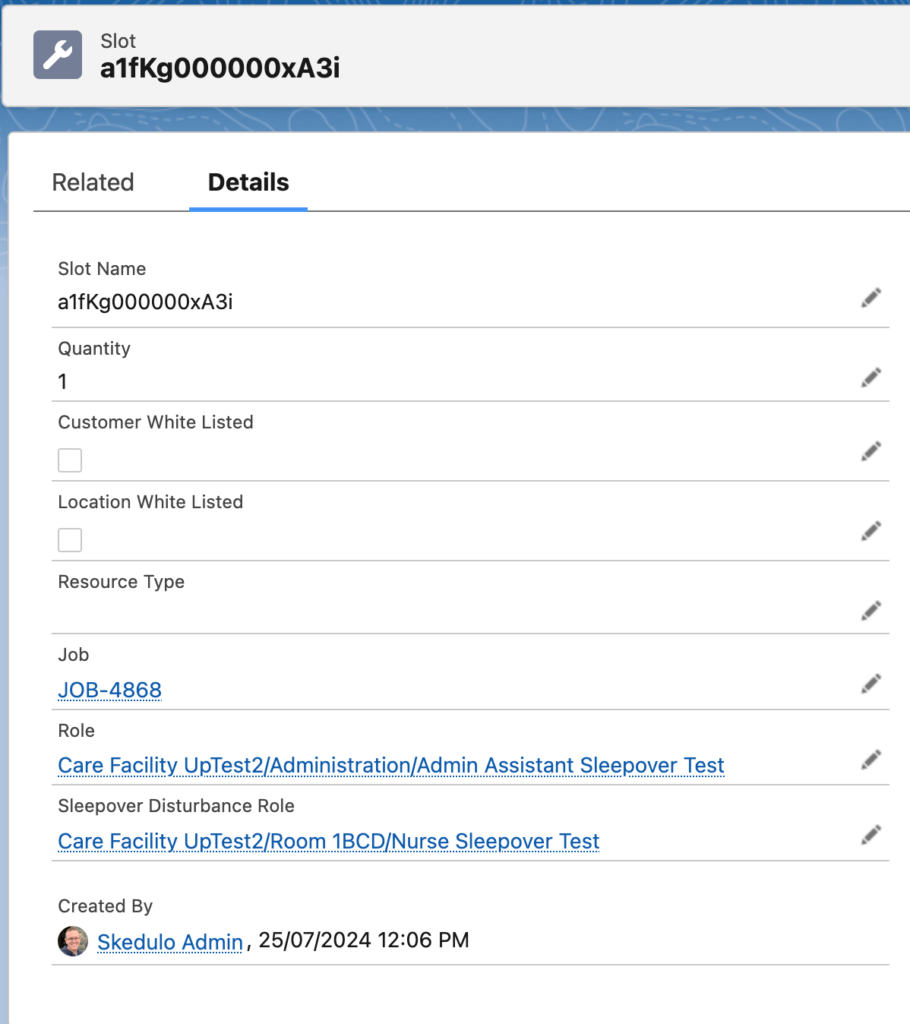
- The role is defined by a scheduler when creating a job in Salesforce and is stored against the Slot object associated with the Job.
- This role field is pre-populated based on the role details associated with your assigned job/slot in Skedulo and is a read-only field for the resource.
- If a specific “Sleepover Disturbance Role” has been defined for the job, this will take precedence and be the role displayed on the form.
- This “Role” information is vital for correctly categorizing the disturbance for payroll processing within Easy Employer.
2. Saving Records & Data Flow
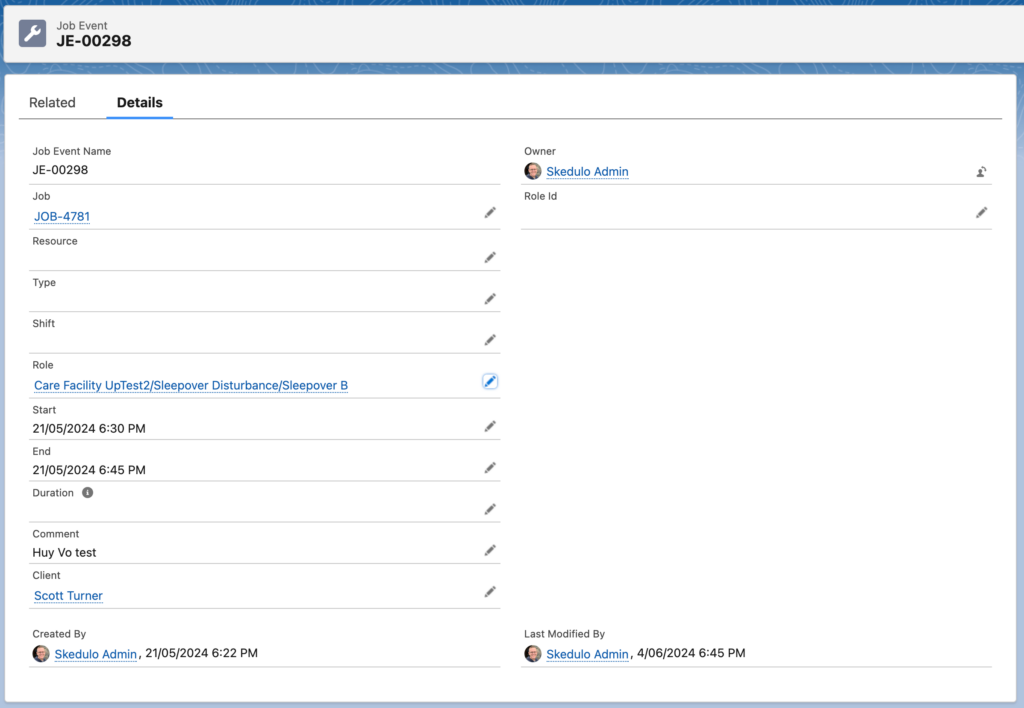
- When disturbance records in the EasyEmployer version of the form are saved, the data synchronization process will create a Job Event Record, instead of creating a standard Activity record (as in the HCP/ACD version).
- These Job Event records are then processed by existing backend logic within the Easy Employer package. This ensures that the disturbance information, including the role, start/end times, and any comments, is correctly fed into the Easy Employer system for accurate calculation of your payable work.