
Context:
This setting is used to display/hide the Site/Location field when creating an Activity or Availability in Consoles.
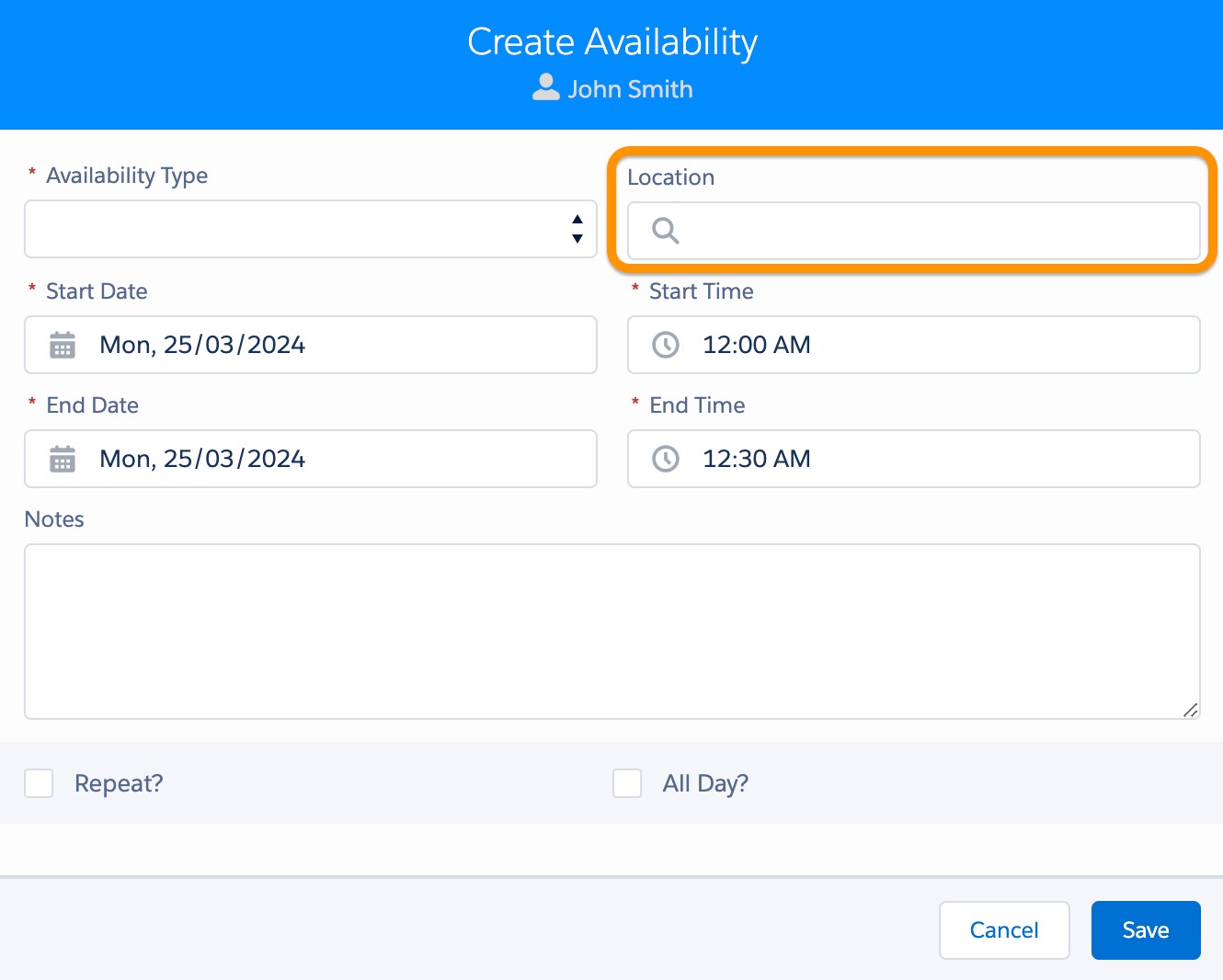
How to access the setting:
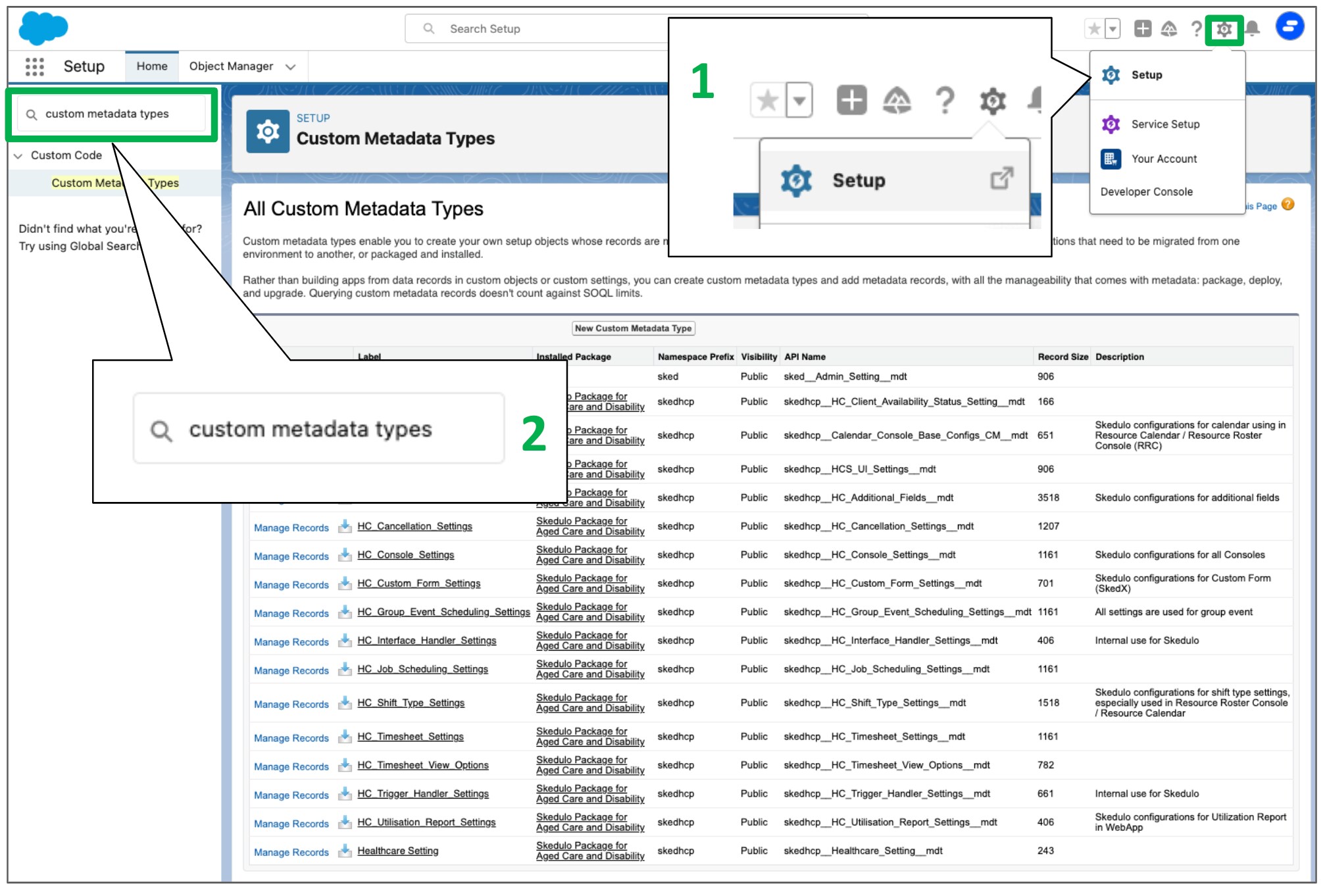
1. Go to “Setup”
2. In the search box, input “Custom Metadata Types”
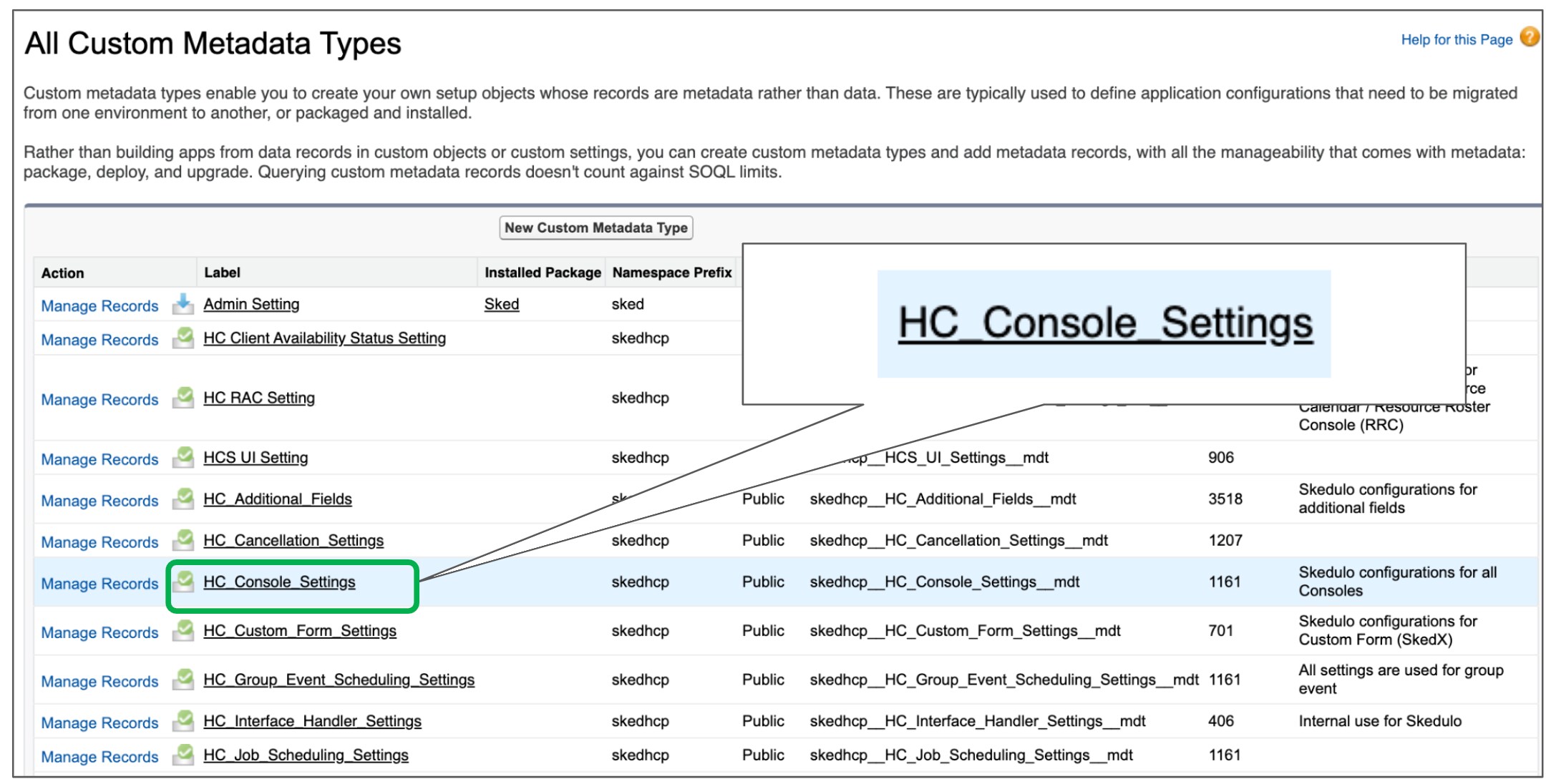
3. Find the “HC Console Settings” setting and click Manage
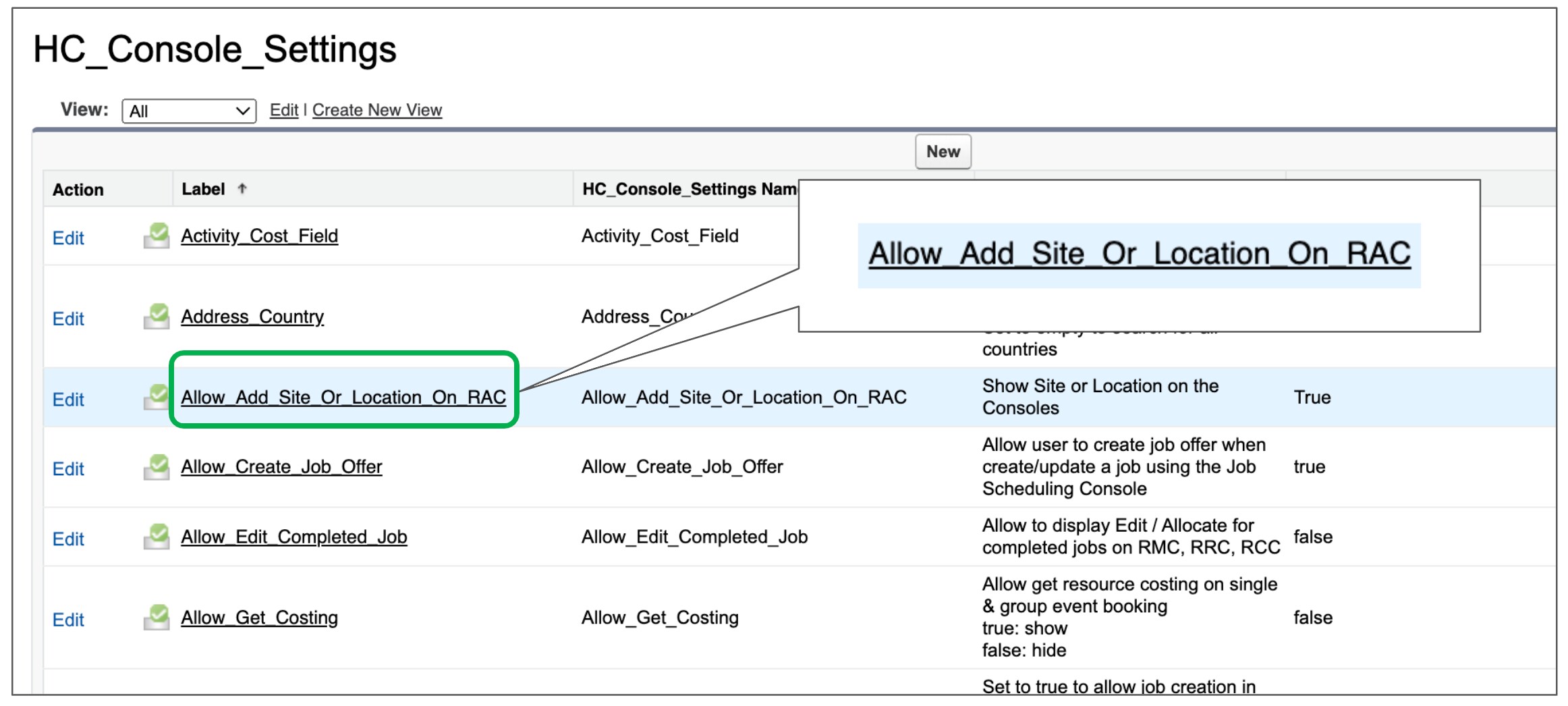
4. Find the “Allow_Add_Site_Or_Location_On_RAC” setting
Description:
Show Site or Location on the Consoles
Value:
+ Possible Value: True/False
+ Default Value: True
Video:
This is the video that describes the custom setting and provides a step-by-step guide on how it works:
https://skedulo.zoom.us/clips/share/bkoYnBy-KnueOeuBxABXtKi2vm4bPW6tWrMr4g5RxPnrTZSkys7_P0-zPVINFUro_Y14gg.85H8_uIre00yrasq