
The colours being used for the Activity Types, Availability Types, Job Status, and Shift Status can be controlled via a Custom Setting.
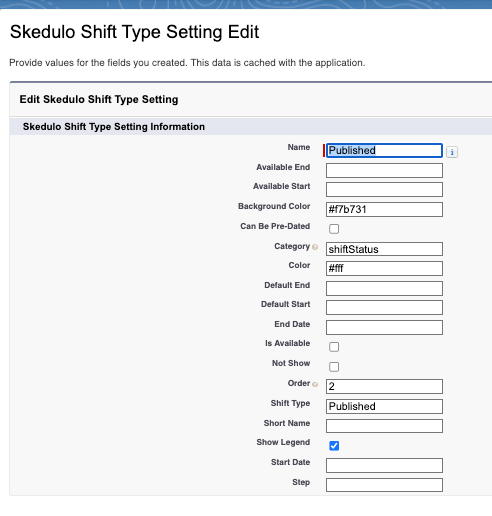
In Salesforce, go to Setup > Custom Settings > Skedulo Shift Type Setting > Manage > View All Records.
- Update the Colour and Background

Skedulo Shift Type Settings
The status of a job and shift is defined in the Skedulo Shift Type Setting:

You can also control the calendar start and end time of the day via a custom setting.
Go to Setup > Custom Settings > Skedulo RAC Setting > Manage > Edit
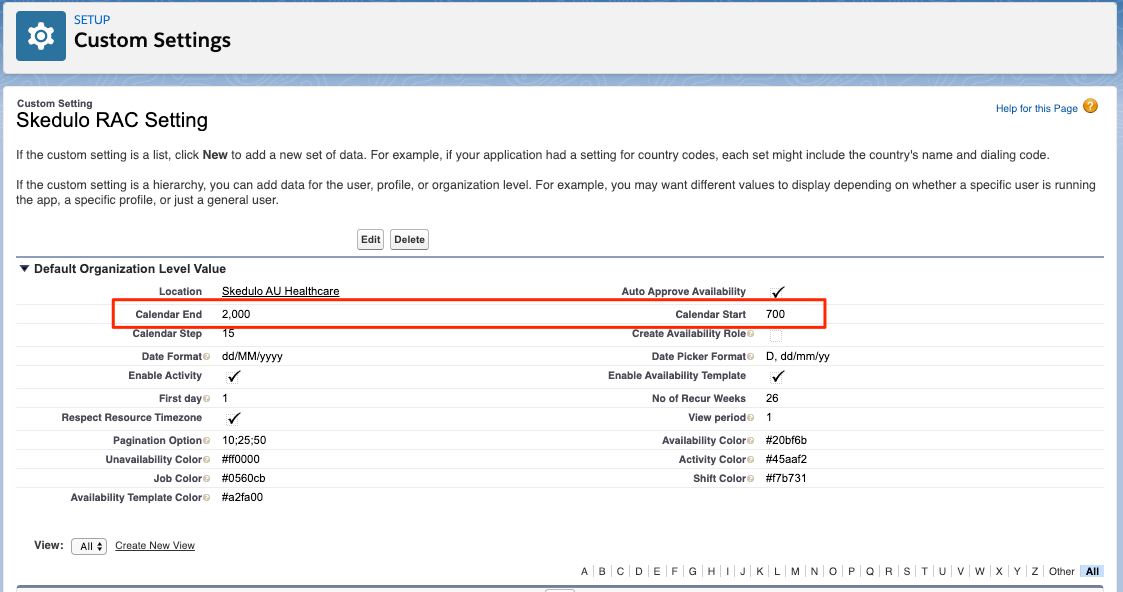
Skedulo RAC Setting