
In the Allied Health Calendar, multiple resources schedules can be displayed. This guide outlines how work can be created for other resources when viewing schedules for multiple resources.
Important: Creating and managing events for others will be restricted by permissions. The permission model is a work in progress and being planned for General Availability release, hence in this version, the accesses remain widely open to the logged in user to create/manage the events of other resources. Refer to the details below.
Jobs
- The logged in user can create jobs, both Single Booking and Group Event, then allocate the jobs to other resources.
- The user can also manage jobs of other resources, including editing, completing, cancelling, and adding case notes.
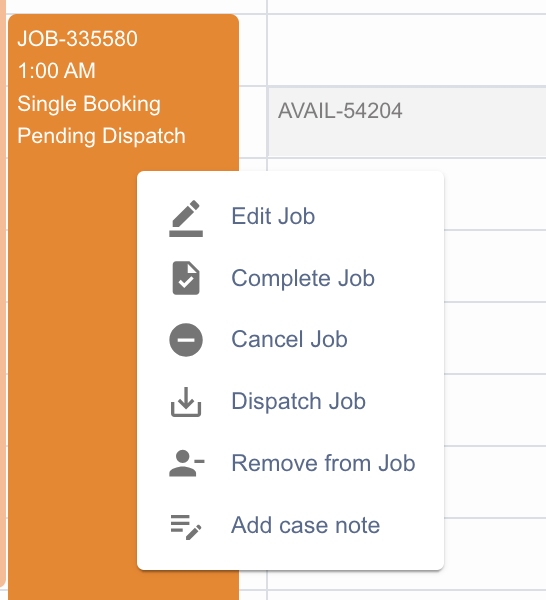
Fig: Managing jobs for others
Shifts
- The logged in user cannot create shifts for others, this version of the console does not support an interface for this purpose.
- The user however can edit or delete shifts belonging to other resources.
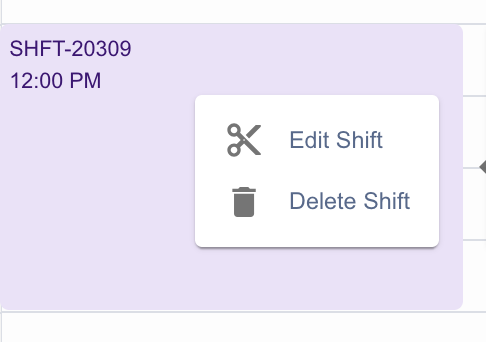
Fig: Managing shifts for others
Activities
- The logged in user cannot create activities for others, this version of the console does not support an interface for this purpose.
- The user however can edit or delete activities belonging to other resources.
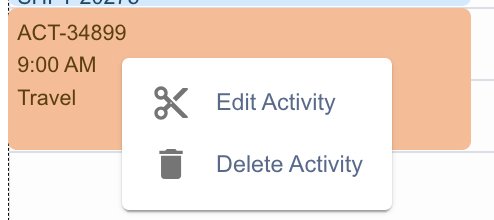
Fig: Managing activities for others
Ad-hoc Availability
- The logged in user cannot create activities for others, this version of the console does not support an interface for this purpose.