
Once configured, the Base Rosters are accessed using the Base Roster button on the Resource Roster Console.
Click the button to present a list of the base rosters that have been configured.
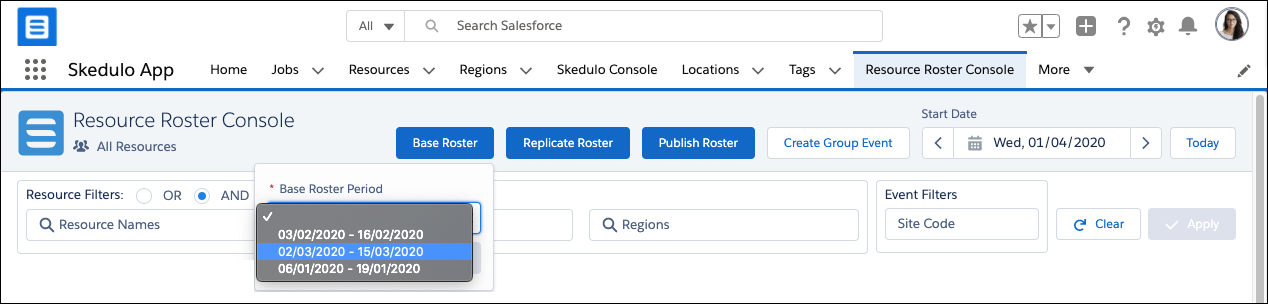
Fig: Base roster options
Base Roster options:
- Select Base Roster – Select the required base roster from the drop-down list.
- Close – Click to close the dialog and do not go to a base roster.
- Select – Click to go to the selected base roster.
Once a Base Roster is displayed:
- The Base Roster Period value will display the dates to confirm which base roster was selected.
- A Back to Console button is provided to enable the user to return directly to the Resource Roster Console.
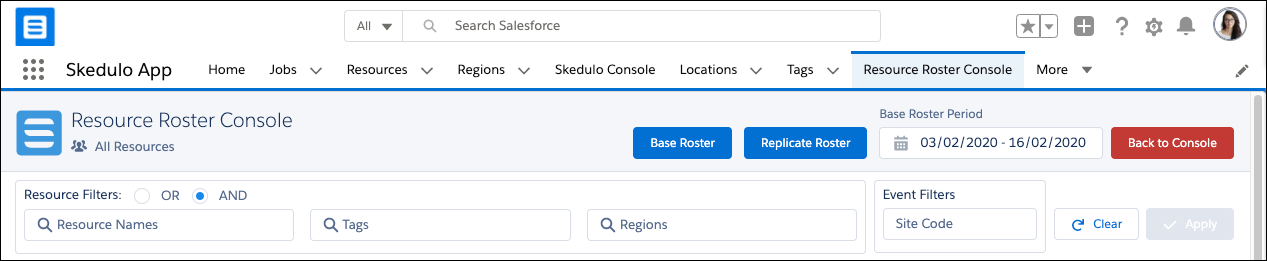
Fig: Base roster selected