
Add Single Client Job
The Add Single Client Job option opens the single booking Schedule Job modal, with the resource and the date already pre-populated.

Fig: Schedule job modal
View Single Client Job
Hover over the job record to display a summary of the job.

Fig: Viewing a job on the roster resource console
Updating a Single Client Job
Right-click an existing Single Client job to display the options for managing the job.
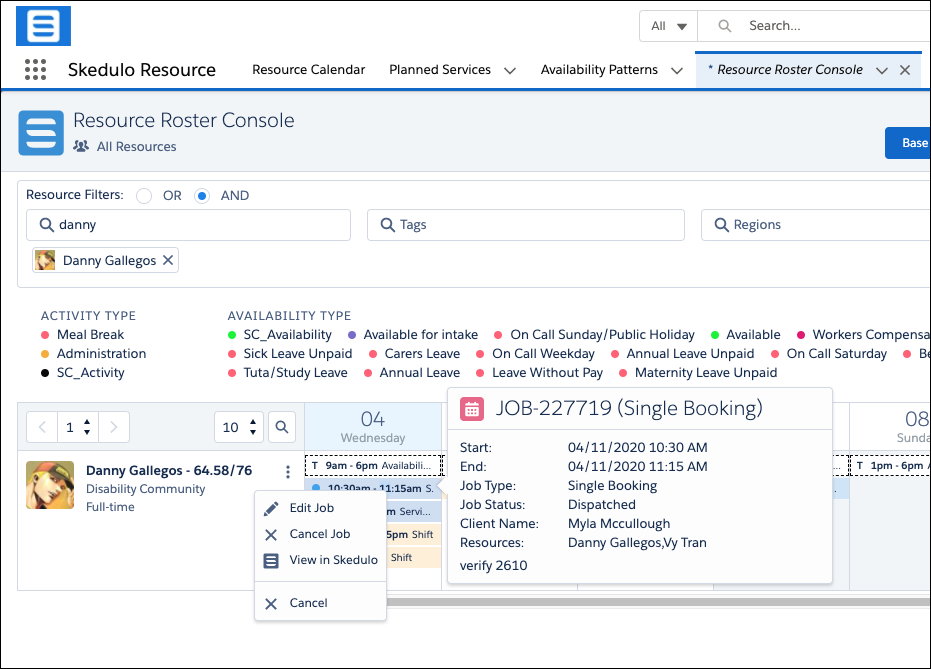
Fig: Job options on the roster resource console
The options are:
- Edit job – Select to edit job details.
- Cancel Job – Select to cancel the job prior to the job completion
- View in Skedulo – Select to view the job in the Skedulo web app.
- Cancel – Select to cancel the display of the options.
Cancelling the Job
When cancelling a client the Cancel Job modal is displayed.
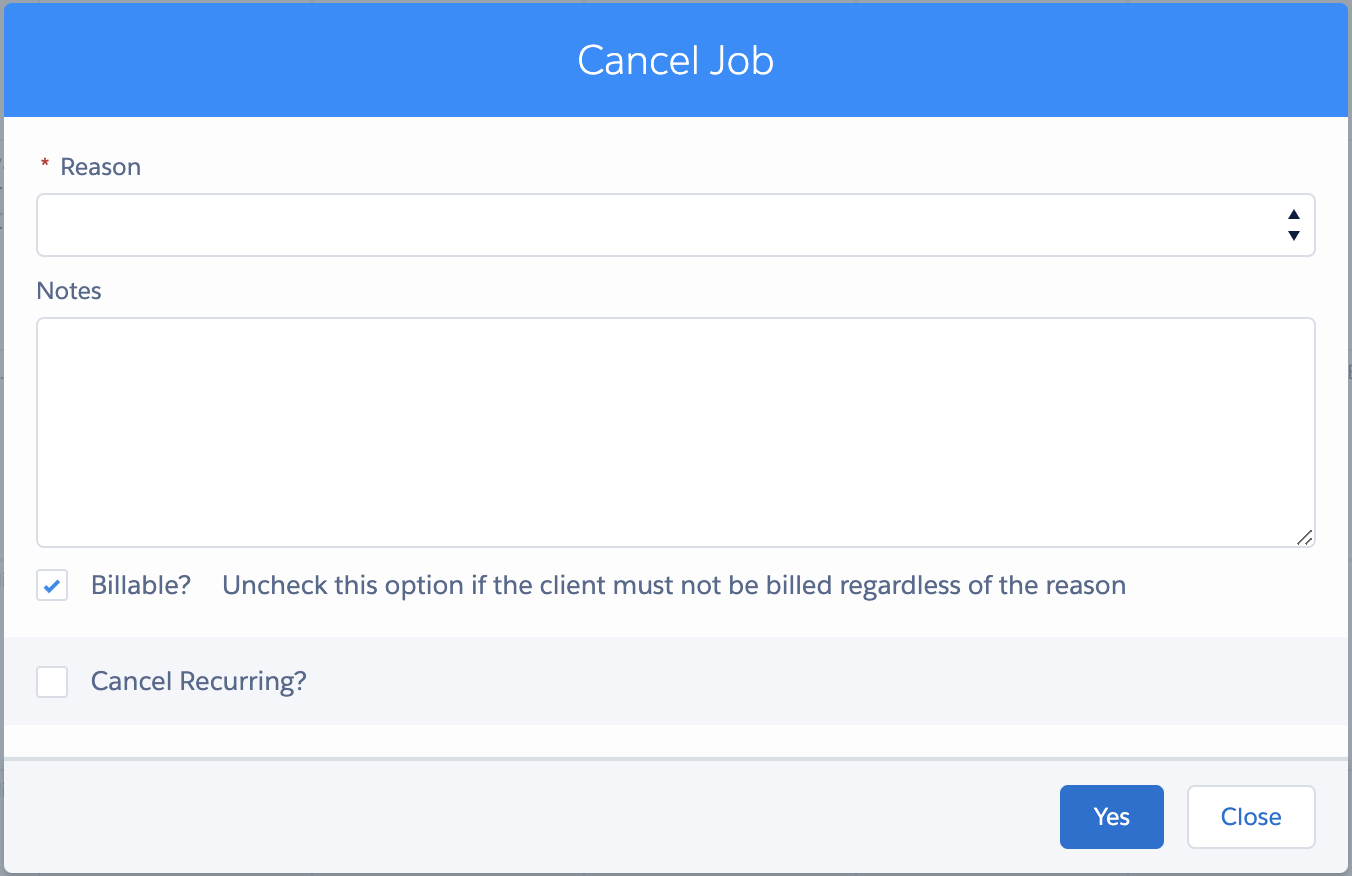
Fig: Cancel job modal
To cancel the job:
- Select a Cancellation Reason for why the job is being cancelled.
- If required, enter a cancellation note for the job.
- Choose whether the client or attendees are to be billed for the job cancellation.
- Check on Cancel Recurring if applicable. If applicable the following options are available
- Same Weekday (Monday)
- Following Events
- All Events
- Click Yes to cancel the job.
- Click Close to close the dialog without cancelling the job.