
Context:
This setting helps you see the allocated resource names on the job (shift) cards when you are viewing the Roster Management Console (RMC).
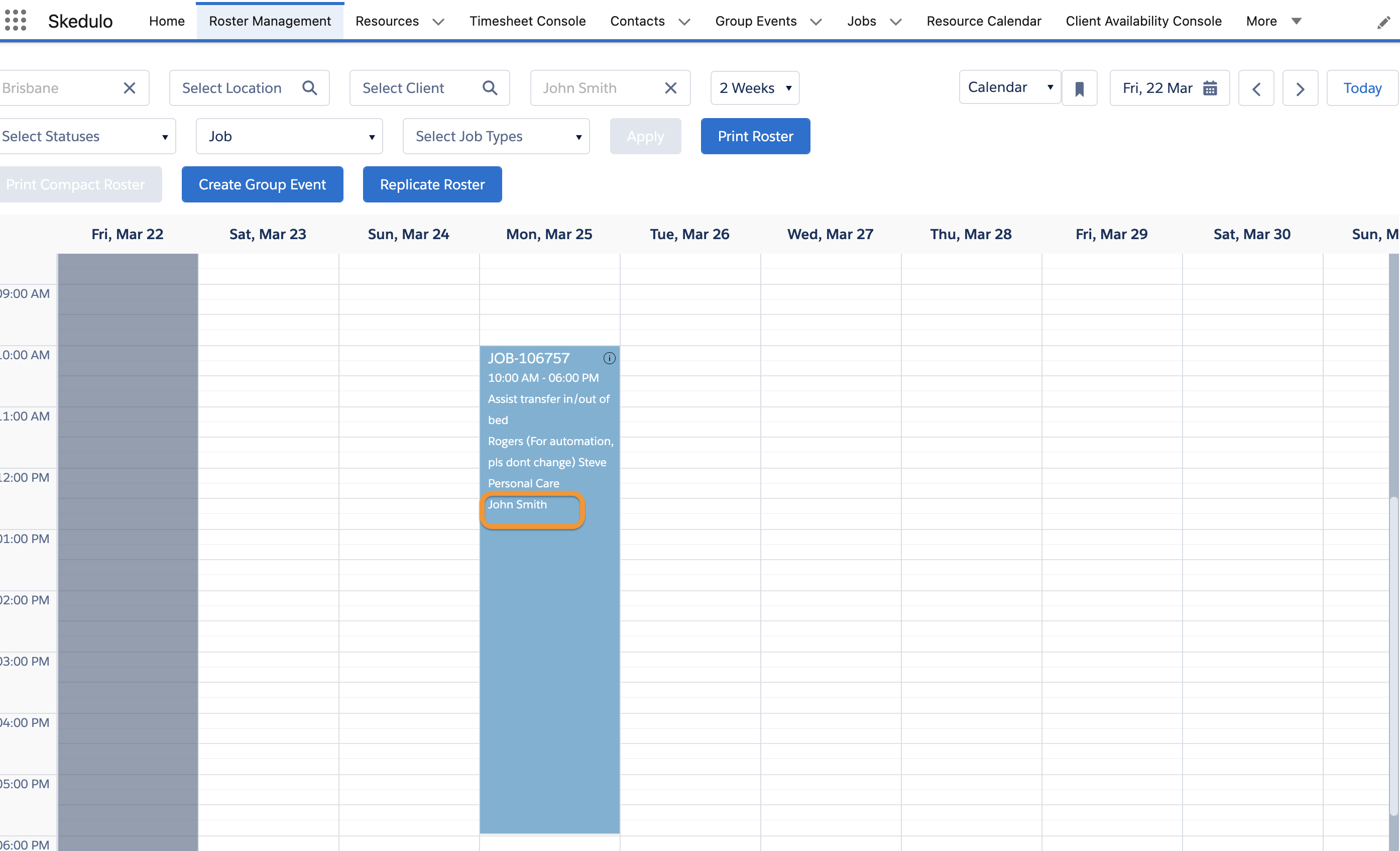
How to access the setting:
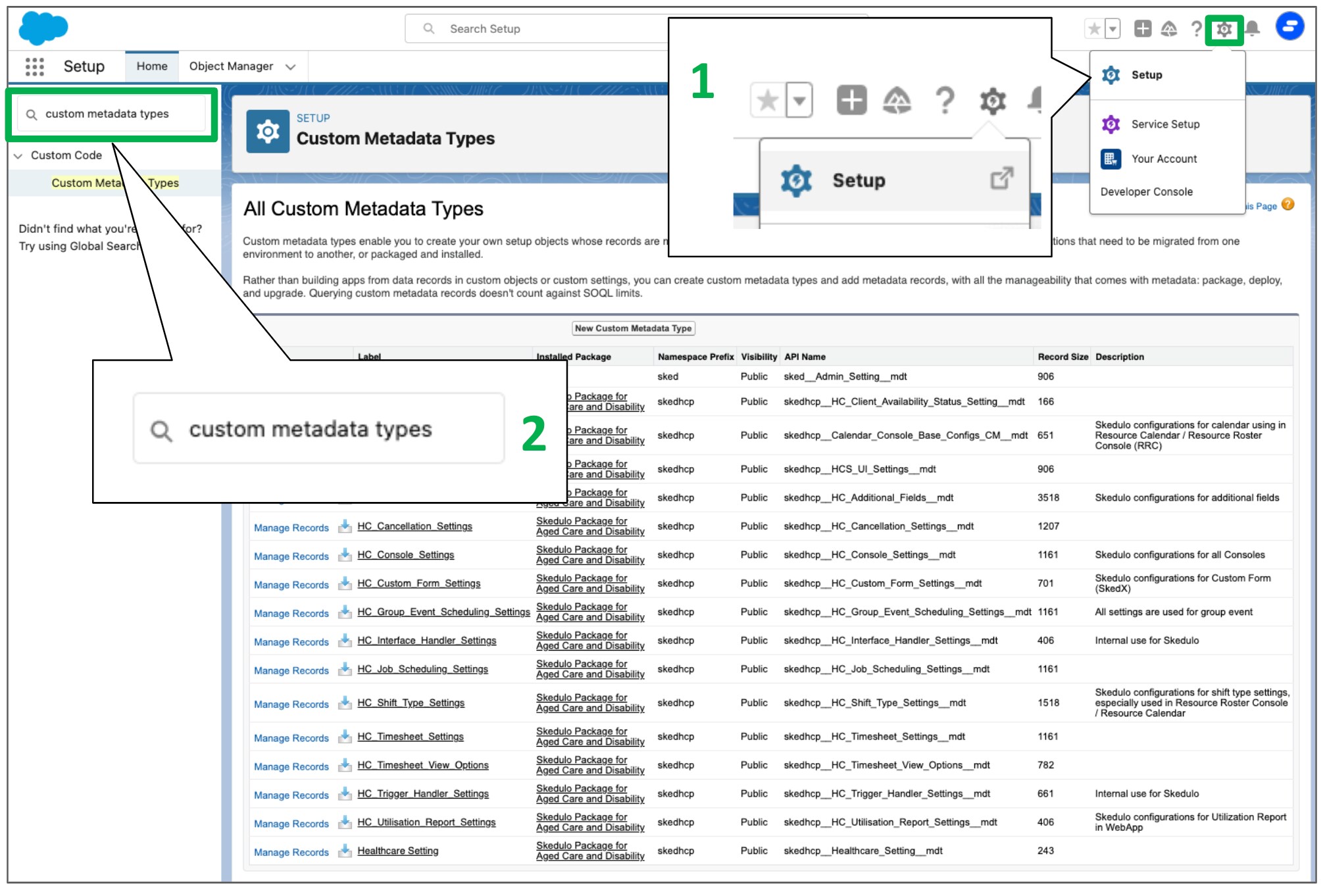
1. Go to “Setup”
2. In the search box, input “Custom Metadata Types”
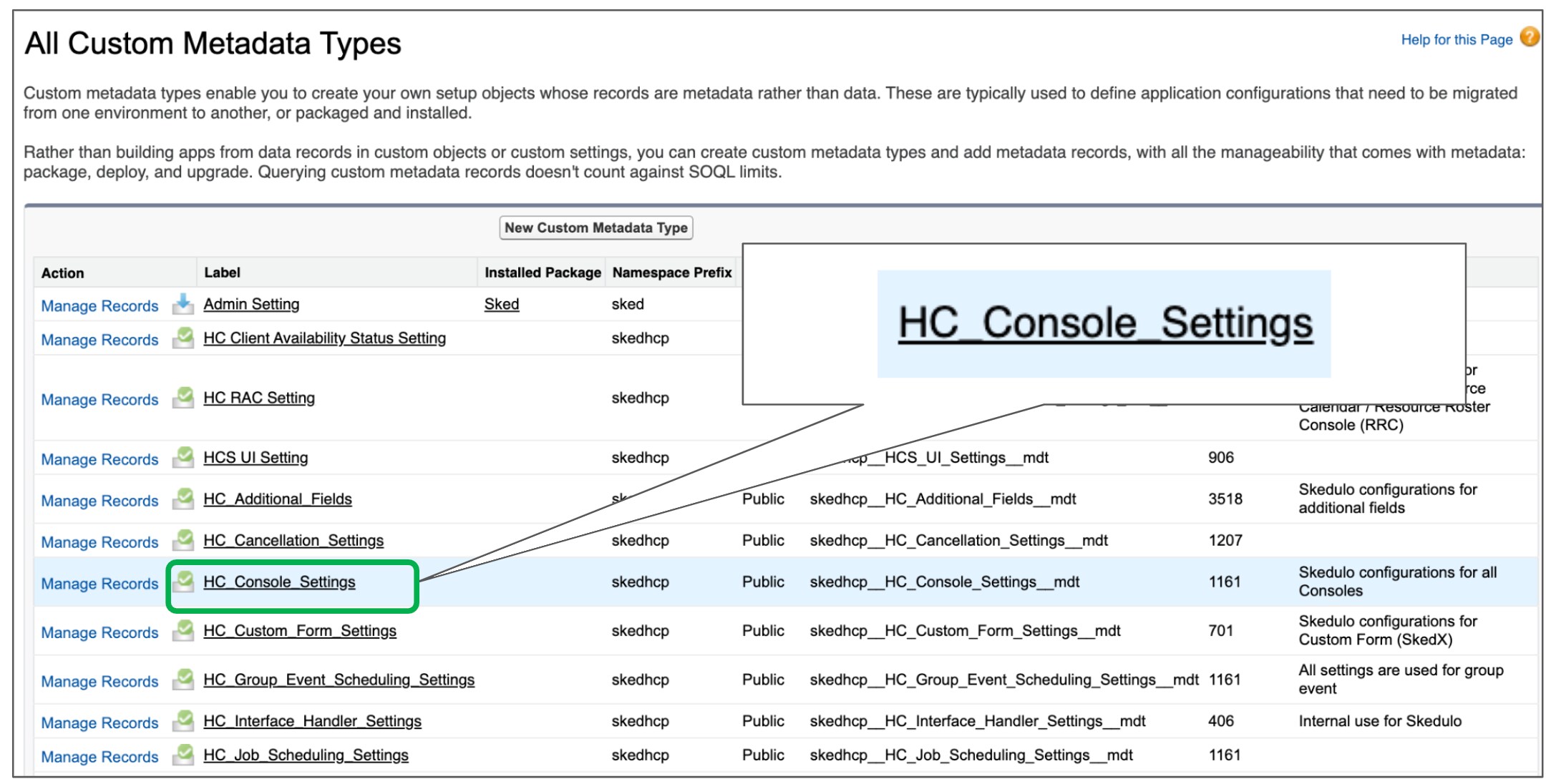
3. Find the “HC Console Settings” setting and click Manage
4. Find the “Allow_Resources_Name_On_RMC” setting
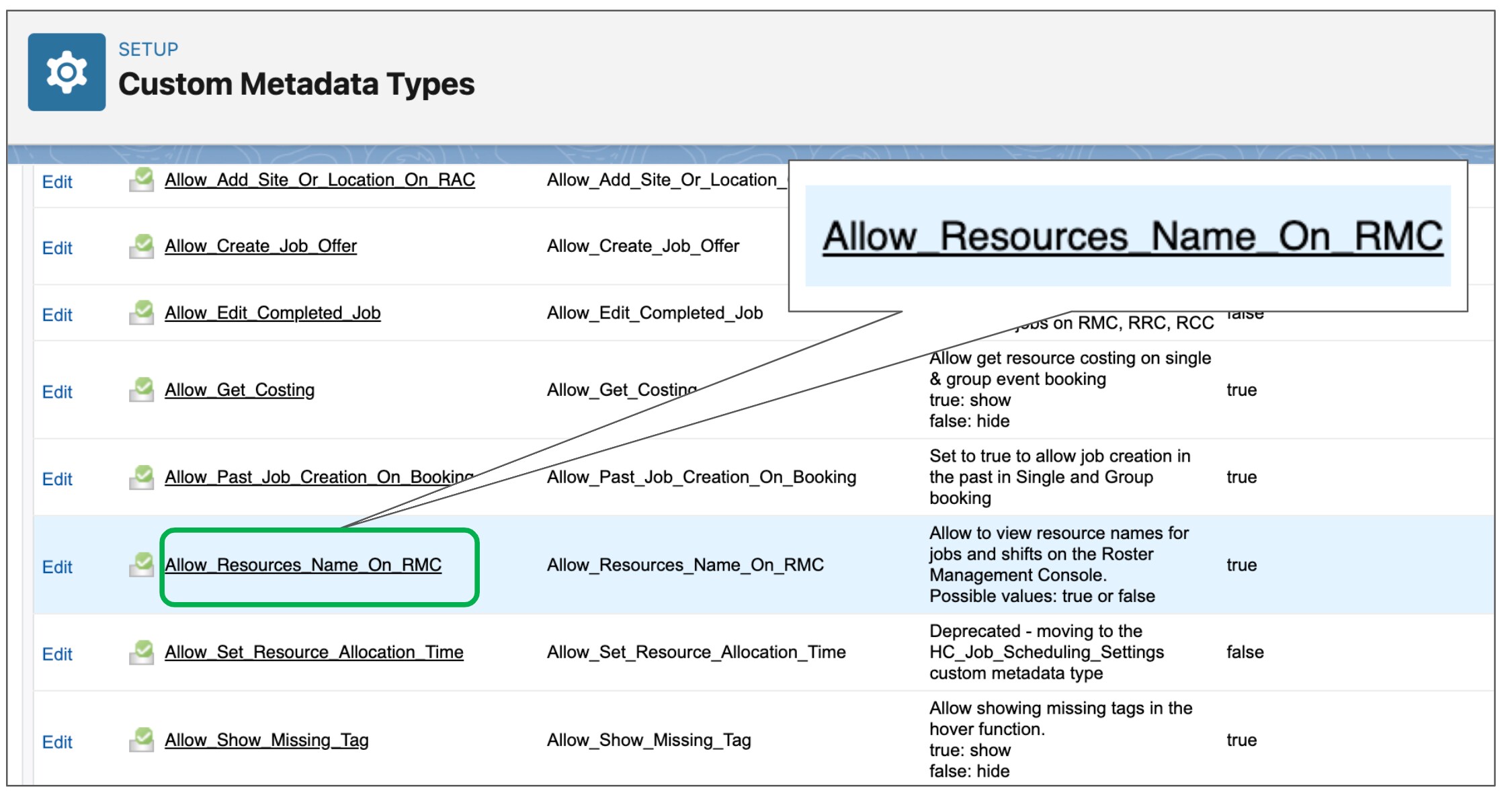
Description:
Allow to view resource names for jobs and shifts on the Roster Management Console.
Possible values: true or false
Value:
+ Possible Value: True/False
+ Default Value: True